For a D2C brand, running Google Ads is no longer simply about choosing the right keywords and writing better search ads.
Consumers can discover a product through Search, watch a YouTube video, compare products on Google, revisit a brand through Display, and eventually purchase after several interactions.
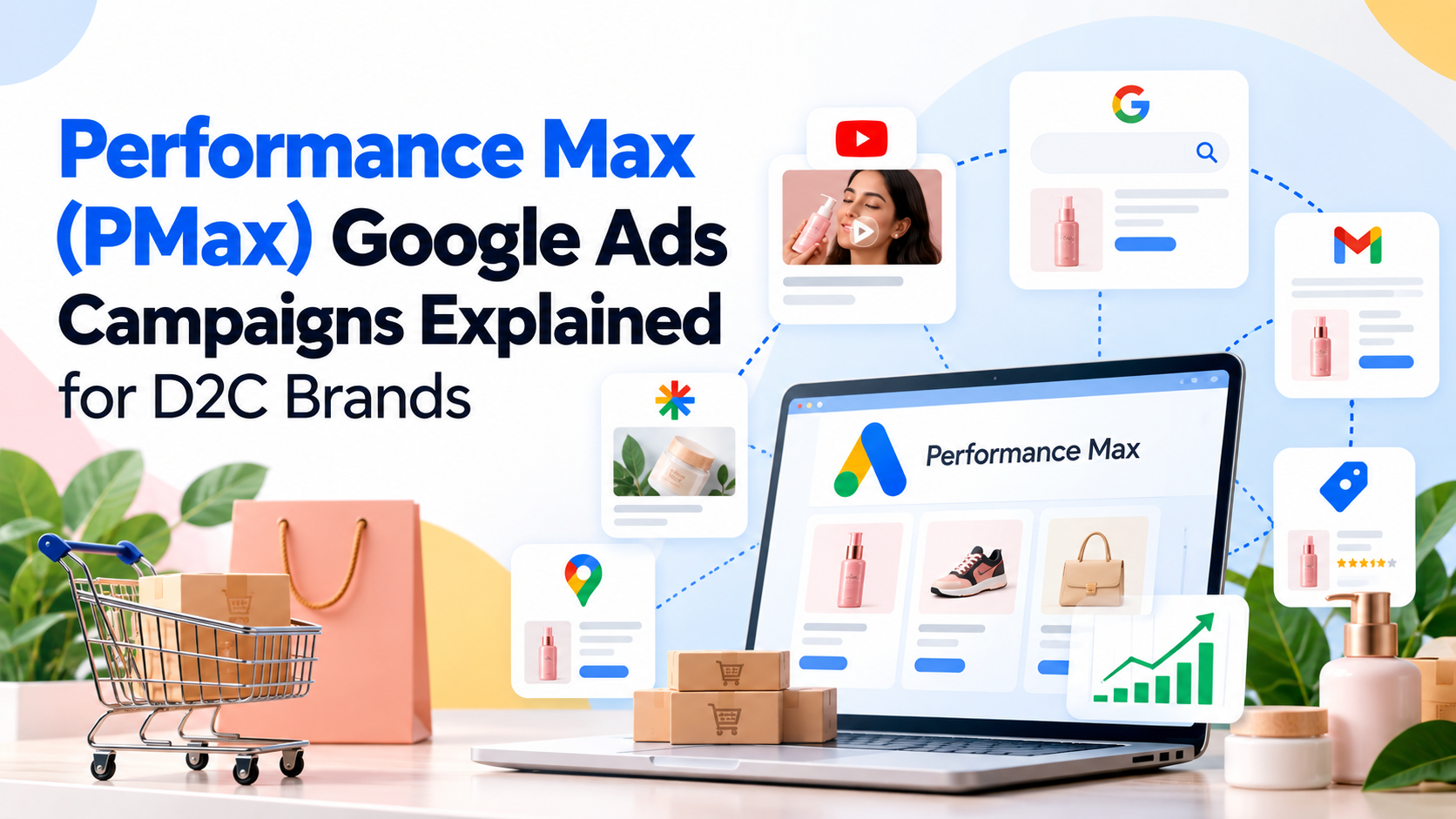
Performance Max (PMax) is Google's campaign type designed to optimise across this broader journey.
Instead of creating separate campaigns for Search, YouTube, Display, Discover, Gmail and Maps, Performance Max allows advertisers to access Google's available inventory through a single goal-based campaign. Google uses AI to combine signals from your conversion goals, product data, creative assets, audience signals and other campaign inputs to optimise toward conversions or conversion value.
For D2C brands, this makes PMax particularly relevant but it also creates a common problem:
You give Google more control, so the quality of what you give Google becomes more important.
Your product feed, conversion tracking, creative assets, budget, bidding strategy and campaign structure can all influence what the system learns and how it spends.
This guide explains how Performance Max works for D2C brands, how to set it up, what to optimise, what to watch out for, and how to evaluate whether it is actually driving profitable growth.
What Is Performance Max?
Performance Max is a goal-based Google Ads campaign type that can serve across Google's advertising inventory from a single campaign.
Depending on eligibility and campaign setup, this can include:
Google Search
YouTube
Display
Discover
Gmail
Google Maps
Shopping inventory
Google describes PMax as a campaign type that uses AI for bidding, targeting, creative combinations and attribution, with the objective of maximising conversions or conversion value based on the advertiser's goals.
For a D2C brand, that could mean someone sees a product through Shopping, watches a related YouTube ad, searches for the brand later and eventually purchases.
The important point is that PMax does not operate like a traditional keyword-based Search campaign.
You provide the system with inputs.
Google's AI decides where and when eligible ads should appear based on the campaign objective and available signals.
In simple terms:
Traditional Search:
Keyword → Ad → Landing Page → Conversion
Performance Max:
Product + Creative + Audience Signals + Conversion Data + Budget → AI Optimisation → Google Inventory → Conversion
That difference is why PMax can be powerful and why it requires a different management approach.
Why Performance Max Matters for D2C Brands
D2C businesses typically have a large number of products, frequent promotions, changing inventory and customers who interact with multiple channels before purchasing.

That creates three major challenges.
1. Customer journeys are fragmented
A customer may discover a product on YouTube, search for reviews, visit the website and purchase several days later.
2. Product-level performance varies
One SKU may have a strong conversion rate and healthy margin while another generates clicks but rarely sells.
3. Demand changes quickly
Seasonality, discounts, launches, influencers, competitors and inventory changes can all affect demand.
PMax is designed to respond dynamically to these signals.
Google's documentation specifically highlights the use of AI to optimise bidding, targeting, creatives and attribution, while Merchant Center feeds allow product information to be used in Shopping-oriented formats.
But automation does not mean "set it and forget it."
It means the marketer's role changes from manually controlling every auction to feeding the system better information and controlling the variables that matter most.
How Does Performance Max Work?
A useful way to understand PMax is to think of it as an optimisation engine.

You give it:
Business objective
For example:
Purchases
Revenue
Conversion value
New customers
Product information
Usually through Google Merchant Center for ecommerce campaigns.
Creative assets
Including:
Headlines
Descriptions
Images
Logos
Videos
Audience signals
Such as:
Customer lists
Website visitors
Existing audiences
Custom segments
Search themes
Conversion data
Such as:
Purchases
Purchase value
New customers
Other meaningful conversion actions
Budget and bidding targets
For example:
Maximise conversion value
Target ROAS
Maximise conversions
Target CPA
Google then uses these inputs to determine how to bid and where to show ads.
The more accurate the inputs, the more useful the optimization can become.
Performance Max vs Search Campaigns
One of the biggest misunderstandings among D2C advertisers is that PMax simply replaces Search.
It doesn't.
Google describes Performance Max as a complement to keyword-based Search campaigns. Search campaigns can retain priority in certain situations, including when an exact-match keyword matches a query.
The two campaign types serve different purposes.
Factor | Search | Performance Max |
Main control | Keywords and search settings | Goals, signals, assets and campaign controls |
Inventory | Primarily Search | Multiple Google channels |
Targeting | Keyword-driven | AI-driven |
Creative | Primarily text ads | Text, images, video and product assets |
Product feed | Optional | Highly relevant for ecommerce |
Manual control | Higher | Lower |
Automation | High | Very high |
Best suited to | Capturing specific search demand | Finding and converting demand across Google |
For many D2C brands, the question isn't:
"PMax or Search?"
It is:
"How should PMax and Search work together?"
What Does a D2C Brand Need Before Launching PMax?
Before launching a campaign, get the fundamentals right.
1. Accurate conversion tracking
This is arguably the most important requirement.
Google recommends using conversion tracking with Performance Max because the system uses conversion actions and conversion value to optimise how it spends the campaign budget.
For an ecommerce brand, your primary purchase event should ideally capture meaningful purchase value.
Check:
Purchase tracking
Transaction value
Currency
Order IDs
Deduplication
Enhanced conversions where appropriate
Google Analytics integration
Offline or backend revenue reconciliation where relevant
If Google thinks a ₹500 product and a ₹5,000 product are equally valuable when they aren't, you're giving the bidding system an incomplete picture.
2. A Healthy Merchant Center Feed
For retail-focused PMax campaigns, your product feed is effectively part of your advertising creative.
It tells Google:
What the product is
What it costs
Where it is available
What it looks like
Which category it belongs to
What attributes describe it
Google recommends maintaining accurate product information, including product descriptions, images, prices and availability, and resolving product approval issues in Merchant Center.
A weak feed can therefore become a weak advertising system.
Audit your feed for:
Missing products
Incorrect prices
Out-of-stock products
Poor product titles
Missing attributes
Low-quality images
Incorrect categories
Disapproved products
Inconsistent landing pages
Think of your feed as SEO for your Shopping inventory.
The better Google understands your products, the better it can match them to relevant demand.
3. Strong Creative Assets
Don't rely entirely on automatically generated creative.
Give PMax high-quality assets to work with.
Consider providing:
Images
Product-focused images
Lifestyle images
Product-in-use images
Different compositions
Seasonal variations
Video
Product demonstrations
Testimonials
UGC
Tutorials
Founder-led videos
Product comparisons
Copy
Clear value propositions
Product benefits
Offers
Differentiators
Strong calls to action
Google recommends providing diverse, high-quality text, image and video assets. If advertisers don't provide video, Performance Max can automatically generate video assets in some cases, but Google recommends uploading your own videos when possible.
4. Clear Business Goals
Don't optimise blindly for "conversions."
Decide what a valuable conversion actually means.
For a D2C brand, that could be:
Revenue
or
Profit
or
New Customer Revenue
or
Contribution Margin
These aren't necessarily the same thing.
Suppose Product A has:
Selling price: ₹2,000
Gross margin: ₹400
And Product B has:
Selling price: ₹2,000
Gross margin: ₹1,000
A campaign optimising purely for revenue may treat both purchases equally.
A business focused on profitability shouldn't.
This is why D2C brands need to connect advertising metrics with unit economics.
How to Set Up a Performance Max Campaign for a D2C Brand
Here's a practical setup process.

Step 1: Define the conversion goal
In Google Ads, choose the business objective that aligns with your desired outcome.
For ecommerce, this will generally revolve around sales and purchase conversion value.
Make sure irrelevant conversion actions aren't being included as primary optimisation goals.
Google specifically recommends reviewing conversion goals and removing irrelevant or stale goals from the optimisation setup.
Step 2: Connect Merchant Center
If you're advertising products, connect the relevant Merchant Center account and product data source.
This allows eligible products to be used in relevant Performance Max formats.
Step 3: Set your budget
Your daily budget should be large enough to generate sufficient conversion data without creating an uncomfortable cash-flow risk.
Don't choose a budget purely because it is what you spent last month.
Instead ask:
How much can we afford to spend to acquire a customer while maintaining our target economics?
Step 4: Choose the bidding strategy
Common approaches include:
Maximise conversion value
Useful when different conversions have different monetary values and you want Google to maximise total conversion value.
Target ROAS
Useful when you have sufficient conversion data and want to guide the system toward a specific return on ad spend.
Maximise conversions
More relevant when conversions are treated similarly and the objective is to maximise conversion volume.
Target CPA
More relevant for acquisition objectives where the conversion has a relatively consistent value.
The right strategy depends on the economics and amount of reliable conversion data available.
The biggest mistake is choosing an aggressive Target ROAS or Target CPA simply because the number looks attractive.
Google notes that overly restrictive bid targets can limit campaign reach and recommends allowing sufficient budget and flexibility for the system to learn.
Step 5: Build Your Asset Groups
Asset groups are collections of creative assets organised around a particular theme, product set or audience.
For a D2C beauty brand, you might structure them around:
Skincare
Haircare
Makeup
New arrivals
Best sellers
Or around customer needs:
Acne care
Hydration
Anti-ageing
Sensitive skin
The right structure depends on the business.
The goal isn't to create dozens of tiny asset groups.
The goal is to provide meaningful creative and product groupings that help the system understand what you're advertising.
Step 6: Add Audience Signals
Audience signals don't work like traditional targeting where you tell Google:
"Only show ads to these people."
Instead, they provide Google with information that can help its AI learn about potentially valuable customers.
Useful inputs can include:
Past purchasers
Website visitors
Customer Match lists
High-value customer segments
Custom segments
Relevant search themes
Google recommends using relevant audience signals to help Performance Max learn faster.
The important distinction:
Audience signals guide the system; they don't necessarily restrict the system to those users.
Step 7: Add Search Themes Where Useful
Search themes allow advertisers to provide additional information about what customers search for.
For example, a sustainable footwear brand might provide themes such as:
Sustainable running shoes
Vegan sneakers
Eco-friendly footwear
Recycled running shoes
Google describes search themes as an additional input that can help Performance Max understand relevant demand.
They should be treated as signals, not as a replacement for a complete keyword strategy.
Step 8: Apply Brand and Search Controls
PMax has increasingly important controls for managing search-related traffic.
Depending on the account and objective, these can include:
Negative keywords
Brand exclusions
Search themes
Final URL expansion controls
Placement exclusions
Brand suitability controls
Google provides these controls specifically to help advertisers manage where and how Performance Max can serve.
This is particularly useful for D2C brands that want to prevent unnecessary spend around irrelevant queries or specific branded terms.
How Should D2C Brands Structure PMax Campaigns?
There is no universal campaign structure.
But avoid creating a separate PMax campaign for every product simply because the catalogue is large.
Instead, think about business economics and strategic differences.
You may want separate campaigns when products have substantially different:
Margins
ROAS targets
Customer values
Geographic availability
Business priorities
Seasonal demand
Promotional strategies
Example
Imagine a fashion brand has:
Campaign A: High-margin premium collection
Campaign B: Core products
Campaign C: Clearance products
This could make more strategic sense than:
Campaign 1: T-shirt #1
Campaign 2: T-shirt #2
Campaign 3: T-shirt #3
Campaign 4: Jeans #1
Too much fragmentation can make it harder for automated systems to gather enough useful data.
The objective is not maximum campaign count.
It is enough structure to reflect meaningful business differences without unnecessarily fragmenting data.
What Metrics Should D2C Brands Track?
ROAS is important.
But it isn't enough.
A strong PMax dashboard should look at multiple layers.
Acquisition
Spend
Impressions
Clicks
CTR
CPC
Conversion rate
Revenue
Purchases
Revenue
Conversion value
ROAS
Customer economics
New customers
New customer acquisition cost
Average order value
Repeat purchase rate
Customer lifetime value
Product performance
Product-level revenue
Product-level ROAS
Product-level conversion rate
Best-selling SKUs
Underperforming SKUs
Product approval status
Business profitability
Gross margin
Contribution margin
CAC
Net revenue after discounts
Return/refund rate
This last layer is where many D2C brands need to improve.
A campaign can look fantastic inside Google Ads while being less impressive once discounts, shipping, returns and product margins are considered.
How to Analyse Performance Max
PMax used to be criticised because it provided less granular visibility than traditional campaign types.
Google has continued adding reporting and insights to help advertisers understand performance.
For example, Search terms insights can show categories of queries and help advertisers understand demand, while product and category insights can surface product-level opportunities.
When analysing a campaign, don't ask only:
"What's the ROAS?"
Ask:
1. Which products are driving revenue?
2. Which products are consumed without converting?
3. Which search themes or demand categories are emerging?
4. Is new-customer acquisition improving?
5. Is performance changing because of creativity, demand, inventory or bidding?
6. Is the campaign actually incremental?
This last question matters.
If PMax is receiving credit for customers who were already highly likely to purchase, a strongly reported ROAS does not necessarily mean the same level of incremental business growth.
Common PMax Mistakes D2C Brands Make
Mistake 1: Launching with poor conversion tracking
If purchase data is inaccurate, Google's optimisation has a weak foundation.
Fix: Audit conversion tracking before launch.
Mistake 2: Treating the product feed as an afterthought
Bad titles, missing attributes and incorrect prices can weaken product visibility.
Fix: Treat Merchant Center as a core part of the paid media strategy.
Mistake 3: Using only product images
D2C brands often have strong creative libraries but provide only basic product imagery.
Fix: Use product, lifestyle, UGC, demonstration and offer-led assets.
Mistake 4: Setting an unrealistic Target ROAS
A target that is too aggressive can restrict delivery.
Fix: Base targets on historical economics and available conversion data rather than arbitrary benchmarks. Google specifically warns that overly restrictive targets can limit campaign reach.
Mistake 5: Making changes every day
PMax relies heavily on machine learning.
Constantly changing budgets, bidding and campaign settings can interfere with the learning process.
Google recommends giving new campaigns time to ramp up and advises avoiding frequent changes during the initial learning period. Its current guidance recommends allowing roughly six weeks for a new PMax campaign to gather sufficient data for optimisation and comparison.
Mistake 6: Optimising only for ROAS
ROAS doesn't tell you whether you're acquiring valuable customers.
Fix: Combine ROAS with new-customer performance, margin, AOV, repeat purchases and broader business economics.
Mistake 7: Assuming automation means no management
PMax automates many decisions.
It doesn't automate your business strategy.
You still need to manage:
Product feed quality
Creative strategy
Conversion quality
Promotions
Inventory
Budgets
Margins
Brand controls
When Should a D2C Brand Use Performance Max?
PMax can make sense when a brand:
Has clear conversion goals
Has reliable purchase tracking
Has sufficient product data
Has strong creative assets
Wants access to multiple Google channels
Has enough budget and conversion volume to support automated optimisation
Is willing to give Google's AI some control over delivery
Google positions Performance Max as particularly useful for advertisers with defined conversion goals who want to access Google's inventory through one campaign and expand beyond keyword-based Search.
It may require more caution when:
Conversion tracking is unreliable
Product data is poor
Inventory is extremely limited
Budgets are very small
The brand needs unusually granular manual control
Business goals are not clearly defined
How AI Is Changing PMax
Performance Max is an important example of the broader shift happening in digital advertising.
The advertiser increasingly provides:
Goals + Data + Creative + Constraints
The platform handles more of the:
Targeting + Bidding + Placement + Optimisation
Google's current Performance Max ecosystem is already using AI across bidding, targeting, creative combinations and attribution, and Google has also introduced agentic features such as Ask Advisor inside Google Ads to help analyse account performance and recommend improvements.
That changes the role of the performance marketer.
Instead of manually adjusting hundreds of bids, the marketer increasingly focuses on:
Business objectives
Data quality
Creative strategy
Product economics
Experimentation
Campaign architecture
AI inputs
Governance
The competitive advantage becomes less about who can manually optimise the most campaigns and more about who can give the system better information and make better strategic decisions around it.
How NYX Can Fit Into a PMax Workflow
For D2C brands managing multiple campaigns, products, creatives and channels, the challenge is often not the lack of data.
It is the fragmentation of that data.
Performance information can sit across:
Google Ads
Merchant Center
Analytics
CRM
Product catalogues
Creative platforms
Budget sheets
The harder question is:
What should the marketing team do next?
This is where AI-powered marketing platforms such as NYX can play a role.
Instead of treating campaign reporting, creative analysis, budget decisions and optimisation as completely separate activities, an AI-led workflow can help connect the signals across them.
For example:
PMax performance drops → identify affected products → analyse creative performance → check search demand → check inventory → evaluate budget → recommend next action.
The value isn't simply another dashboard.
It's shortening the distance between performance data and the decision that follows it.
A Practical PMax Optimisation Checklist

Before launching:
Tracking
Purchase conversion is working
Revenue values are accurate
Duplicate conversions are controlled
Primary conversion goals are correct
Merchant Center
Products are approved
Prices are accurate
Availability is accurate
Titles are descriptive
Images are high quality
Product categories are correct
Creative
Multiple image formats
Strong headlines
Clear descriptions
Product-focused creative
Lifestyle/UGC creative
Video assets
Campaign
Appropriate budget
Appropriate bid strategy
Realistic ROAS/CPA target
Relevant audience signals
Search themes where useful
Brand controls configured
Business
Target CAC defined
Margin understood
New-customer strategy defined
Inventory checked
Promotions aligned
After launch:
Monitor conversion volume
Review product performance
Review search insights
Check asset performance
Monitor new-customer acquisition
Check budget utilisation
Compare Google-reported revenue with backend revenue
Avoid unnecessary changes during learning
Final Takeaway
Performance Max changes the way D2C brands approach Google Ads.
You are no longer manually deciding every keyword, placement and bid.
Instead, you're giving Google's AI the signals, products, creative, budget and business goals it needs to make those decisions.
That creates a new responsibility for marketers:
The quality of your inputs becomes as important as the optimisation itself.
A strong PMax strategy therefore isn't:
Launch → Set Target ROAS → Wait for ROAS
It's:
Track accurately → Feed better product data → Build stronger creative → Set realistic goals → Give the system useful signals → Analyse business-level outcomes → Optimise continuously
For D2C brands, that is the real opportunity with Performance Max.
Let the machine handle more of the auction. Let the marketing team focus more on the business.