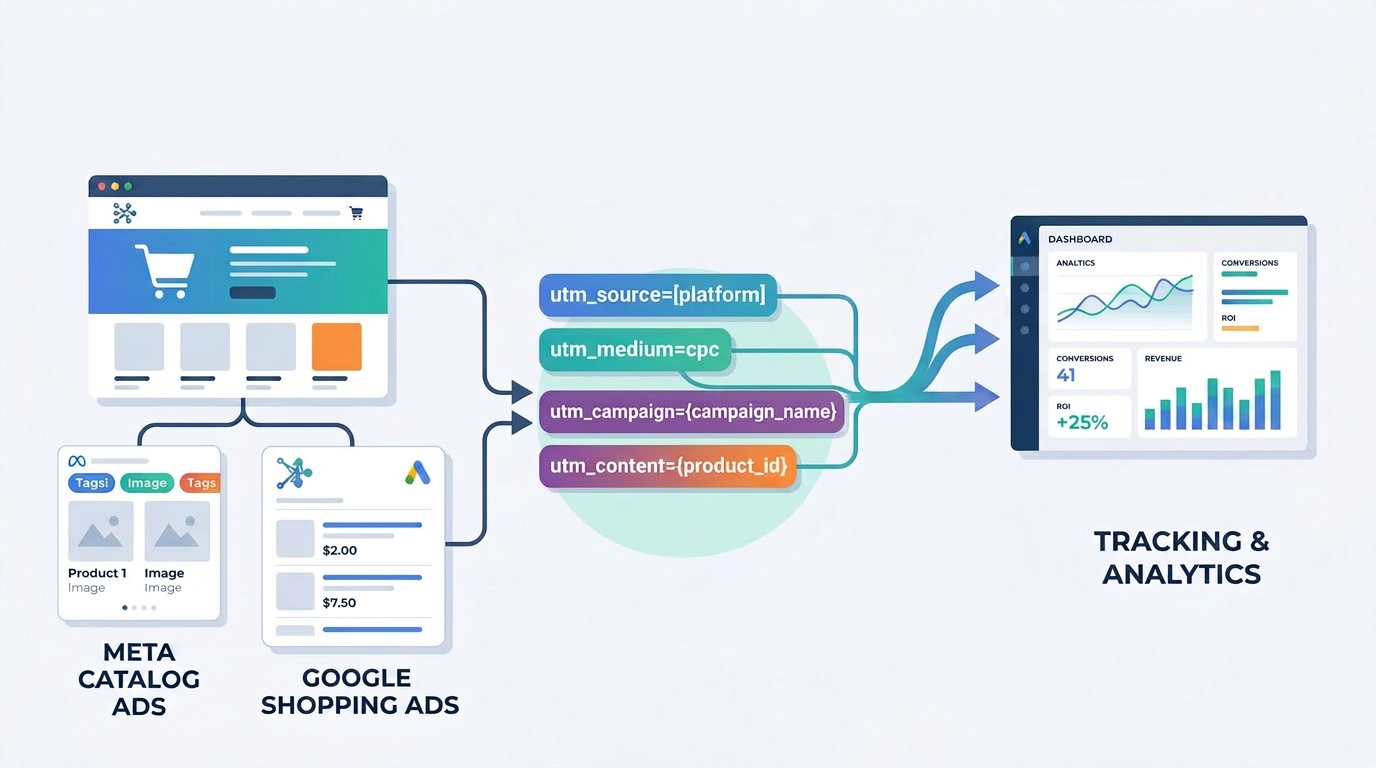
Product catalog and Shopping campaigns create a tracking problem that most standard UTM setups aren’t built to handle. The issue comes down to a basic structural difference between two types of campaigns:
Collection or landing-page campaigns, where you choose the destination URL yourself
Individual product or catalog campaigns, where the platform dynamically selects which product a user lands on
With a landing-page campaign, adding a UTM string is straightforward: there’s one URL, and you tag it once. With catalog and Shopping campaigns, there isn’t one URL. There are hundreds, pulled dynamically from a product feed, and each one can point to a different landing page. Manually building and maintaining individual UTM-tagged URLs for every product in a catalog simply isn’t practical, and it breaks the moment the catalog changes.
1. The Problem With Product-Level Advertising
The core constraint is this: collection campaigns give you control over the destination URL, but catalog and Shopping campaigns don’t work that way by design. The platform selects the product, and the product selects the URL.
Because each product can carry a different landing page, any tracking approach that relies on manually editing individual product URLs will fail to scale. A catalog with 50 SKUs today might have 80 next quarter, and a manually maintained tracking setup has to be rebuilt every time the catalog changes. The only scalable solution is a tracking structure that adapts automatically to whichever product is served, without anyone touching the feed.
2. Meta Catalog Ads: Use Dynamic UTM Parameters
Meta solves this exact problem through dynamic UTM parameters, configured once at the campaign level rather than per product. Instead of editing every product URL in the catalog, you add a single dynamic parameter string in the campaign’s URL Parameters section, and Meta populates the actual values automatically for every impression and click.
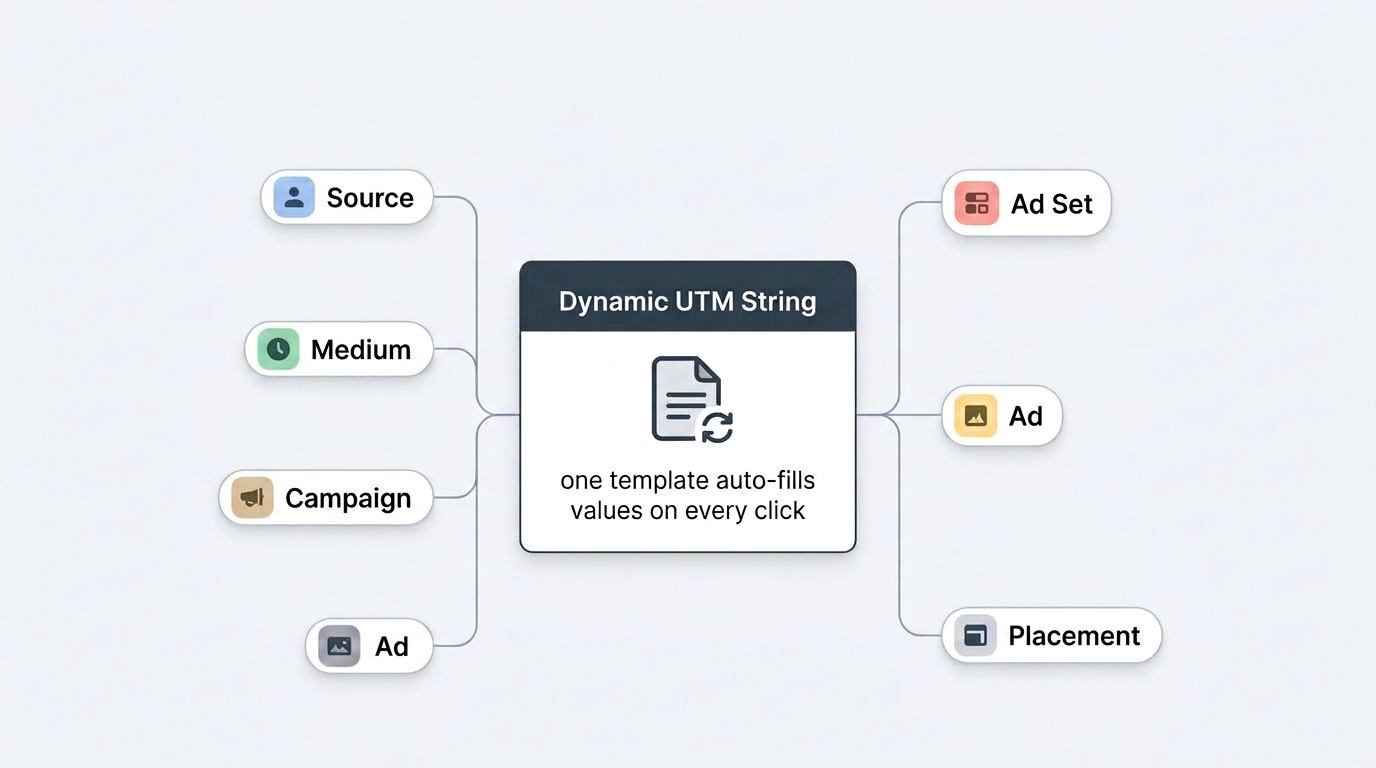
These dynamic parameters can identify:
Source, the platform the click originated from
Medium, the type of traffic
Campaign, which specific campaign served the ad
Ad set, which audience or ad set the click came from
Ad, which specific creative was clicked
Product/catalog information, which product from the catalog was involved
Because these values are populated dynamically at serve time, the same parameter string works across the entire catalog, regardless of how many products are in it or how often the feed changes.
3. Dynamic UTM Structure for Meta
The dynamic UTM string to use for Meta Catalog and Shopping ads is:
?utm_source=meta&utm_medium=paid_social&utm_campaign={{campaign.name}}&utm_content={{adset.name}}&utm_term={{ad.name}}&utm_placement={{placement}}
Here’s what each parameter does:
utm_source=meta: a static value identifying Meta as the traffic source
utm_medium=paid_social: a static value identifying the medium as paid social
utm_campaign={{campaign.name}}: dynamically pulls in the actual campaign name for every click
utm_content={{adset.name}}: dynamically pulls in the ad set name, useful for isolating audience-level performance
utm_term={{ad.name}}: dynamically pulls in the specific ad or creative name
utm_placement={{placement}}: dynamically pulls in where the ad was shown, such as Feed, Stories, or Reels
This string should be added once in the campaign’s URL Parameters field. From that point on, every click on every product in the catalog inherits the correct values automatically, with no manual editing required as products are added or removed.
Dynamic values are preferable to static ones here specifically because a catalog campaign isn’t one ad, it’s potentially hundreds of ad and product combinations running simultaneously. Static UTMs would collapse all of that into a single undifferentiated bucket in analytics; dynamic UTMs preserve the granularity.
4. Why Dynamic Parameters Are Important for Catalog Tracking
A single catalog campaign can contain hundreds of products, and that product list can change constantly as SKUs are added, discontinued, or go out of stock. Dynamic parameters remove the need for any manual URL maintenance as that happens.
Beyond convenience, this structure is what makes product-level reporting possible in the first place. Without dynamic parameters, it’s not possible to tell which product, ad set, or placement actually drove a given session. With them, every session in GA4 or your analytics platform can be reconciled back to the exact campaign, ad set, ad, and placement that generated it, which is essential for comparing Meta’s own reported numbers against independent analytics data.
5. Google Shopping: Tracking Through the Final URL
Google Shopping has the same underlying challenge as Meta Catalog, but it’s solved through a different mechanism. Shopping campaigns don’t use manually set landing pages; the product URLs are pulled directly from the product data in Merchant Center.
Because of that, tracking for Shopping needs to be handled through Google Ads’ tracking configuration rather than by editing individual product URLs in the feed. Editing URLs directly in Merchant Center is both impractical at scale and risks creating inconsistencies between what’s advertised and what’s actually live on the site.
6. Google Ads Static URL / Tracking Configuration
Tracking for Shopping and PMax campaigns is configured in the account, campaign, or ad group’s tracking settings in Google Ads, rather than in the Merchant Center feed itself. This is done through a tracking template, which appends tracking information to whatever final URL the product data provides, instead of replacing that URL.
A typical tracking template structure looks like:
{lpurl}?utm_source=google&utm_medium=cpc&utm_campaign={campaignid}&utm_content={adgroupid}&utm_term={creative}&network={network}
The key building blocks here:
{lpurl} preserves the original destination URL pulled from the product feed, so the tracking template adds parameters on top of it rather than overriding it
{campaignid} and other Google ValueTrack parameters dynamically insert the actual campaign, ad group, and network values for every click, the same role {{campaign.name}} plays on Meta
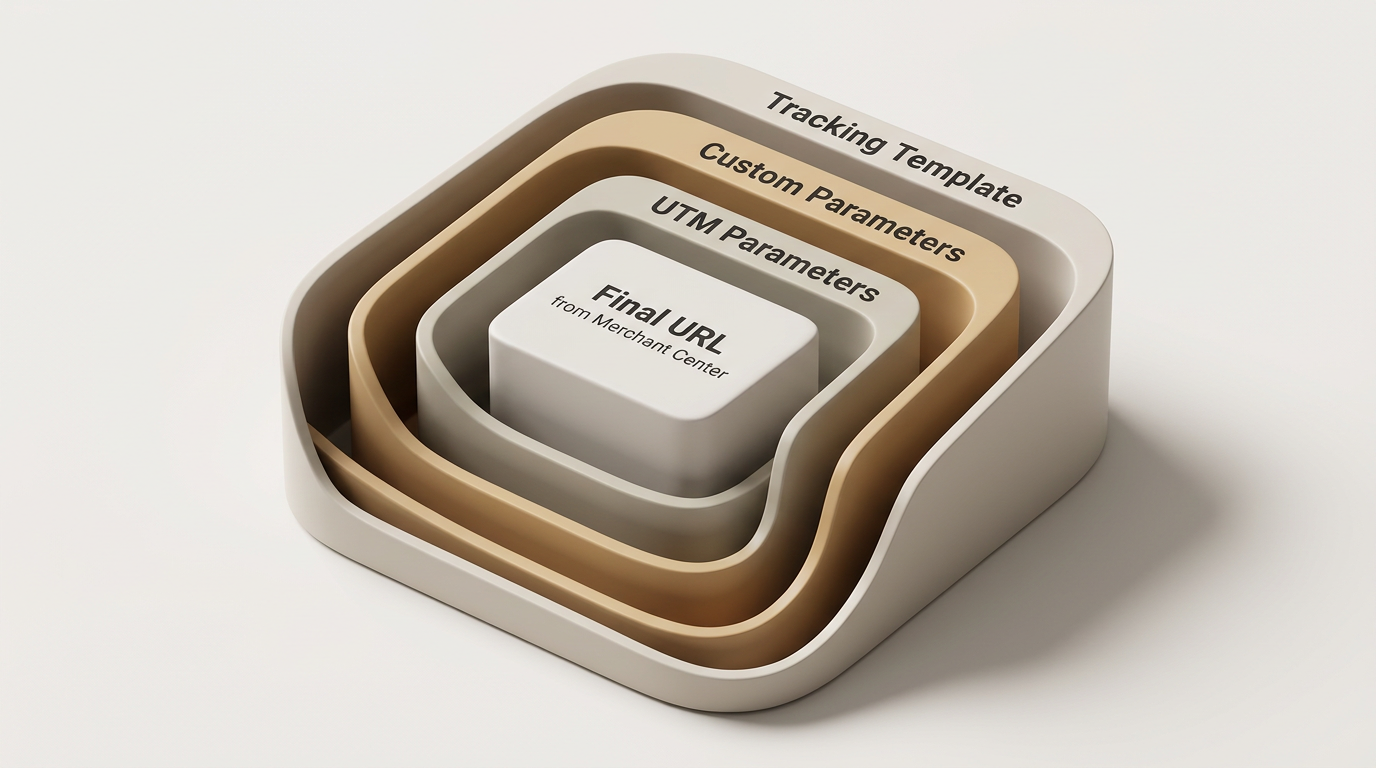
It’s worth being precise about the distinction between four related fields in Google Ads:
Final URL: the actual destination the product data points to, pulled from Merchant Center
Tracking template: the wrapper that appends tracking parameters to the Final URL without changing the destination
Custom parameters: account-level or campaign-level variables that can be referenced inside a tracking template
UTM parameters: the specific source/medium/campaign tagging convention layered on top through the tracking template, so the resulting sessions are readable in GA4
7. Meta vs Google: Tracking Approach
Platform | Campaign Type | Tracking Approach |
|---|---|---|
Meta | Collection | Controlled destination URL + UTM |
Meta | Catalog | Dynamic UTM parameters |
Search | Tracking template / URL parameters | |
Shopping | Google Ads tracking configuration + product URL | |
PMax | Tracking configuration + dynamic parameters |
8. How to Validate the Tracking
Before relying on any of this data for optimization, it needs to be validated end to end:
Click an actual ad or product, not just preview it
Check the resulting URL to confirm it lands where expected
Confirm UTM parameters are appended correctly and haven’t been stripped or overwritten
Verify source, medium, and campaign are showing up correctly in GA4
Compare platform-level reported numbers against analytics data to check for discrepancies
Check specifically that product-level attribution isn’t being overwritten by a later click or a different channel
9. Common Tracking Mistakes
Using static campaign names on dynamic catalog campaigns, which collapses all product-level data into one bucket
Manually editing individual product URLs instead of using dynamic parameters or a tracking template
Missing utm_source, which breaks channel attribution in GA4
Missing campaign identifiers, making it impossible to isolate campaign-level performance
Using inconsistent naming conventions between Meta and Google, which makes cross-platform reporting harder to reconcile
Not testing the final destination URL before scaling spend
Assuming the product URL itself provides campaign attribution, when in fact it only provides the destination, not the source of the click
10. Recommended Tracking Framework
Standardize UTM naming conventions across Meta and Google so reporting is consistent
Use dynamic parameters wherever the platform supports them, rather than static or manually maintained values
Keep campaign naming consistent across platforms to simplify cross-channel analysis
Test the tracking setup before scaling any new campaign
Document the tracking structure so new catalogs and products automatically inherit the same framework, instead of requiring setup from scratch each time
In practice, most teams validate this once at setup and then stop, since manually cross-checking source, medium, and campaign against GA4 every week isn't realistic. This is where a platform like NYX helps: Neo continuously reconciles platform-reported numbers against your analytics data, flagging attribution gaps or dropped parameters before they skew a week of decisions. The core discipline stays the same (dynamic parameters, consistent naming, a Final URL that isn't overwritten), it's just no longer something that degrades the moment nobody's watching it.
1. Why can't I just add a UTM string to my product URLs like I would for a landing page campaign?
Landing page campaigns have one destination URL you control directly. Catalog and Shopping campaigns pull product URLs dynamically from a feed that can hold hundreds of products and changes constantly, so manually tagging each URL isn't scalable and breaks the moment the catalog updates.
2. What does the Meta dynamic UTM string actually do?
The string ?utm_source=meta&utm_medium=paid_social&utm_campaign={{campaign.name}}&utm_content={{adset.name}}&utm_term={{ad.name}}&utm_placement={{placement}} is added once in the campaign's URL Parameters field. Meta then populates campaign, ad set, ad, and placement values automatically on every click, across every product, without any manual editing.
3. How is tracking handled differently on Google Shopping compared to Meta Catalog?
Meta uses dynamic UTM parameters set at the campaign level. Google Shopping pulls product URLs from Merchant Center, so tracking is handled through a tracking template in Google Ads that appends parameters to the existing Final URL ({lpurl}) using ValueTrack parameters like {campaignid}, rather than editing the feed itself.
4. What's the difference between a Final URL, a tracking template, custom parameters, and UTM parameters in Google Ads?
The Final URL is the actual destination pulled from the product feed. The tracking template wraps around it to append tracking data without changing the destination. Custom parameters are variables you can reference inside that template. UTM parameters are the specific source/medium/campaign tags layered on top so sessions read correctly in GA4.
5. How do I confirm the tracking setup is actually working before scaling spend?
Click an actual ad or product rather than just previewing it, check that the resulting URL carries the correct UTM parameters, and confirm source, medium, and campaign show up correctly in GA4. Compare platform-reported numbers against analytics data and check that product-level attribution isn't being overwritten by a later click or a different channel.
Conclusion
Product catalogs and Shopping campaigns don’t need to be difficult to track. The complexity comes from trying to apply a landing-page-campaign mindset, one static UTM string per URL, to a dynamic, product-driven environment where that approach simply doesn’t scale.
The fix is the same on both platforms: use dynamic parameters instead of manually modifying product URLs. On Meta, that means the dynamic UTM string added once at the campaign level. On Google, that means the appropriate tracking configuration layered on top of the Final URL pulled from Merchant Center. Either way, nothing should be trusted for optimization decisions until it’s been validated in GA4 against actual platform data.