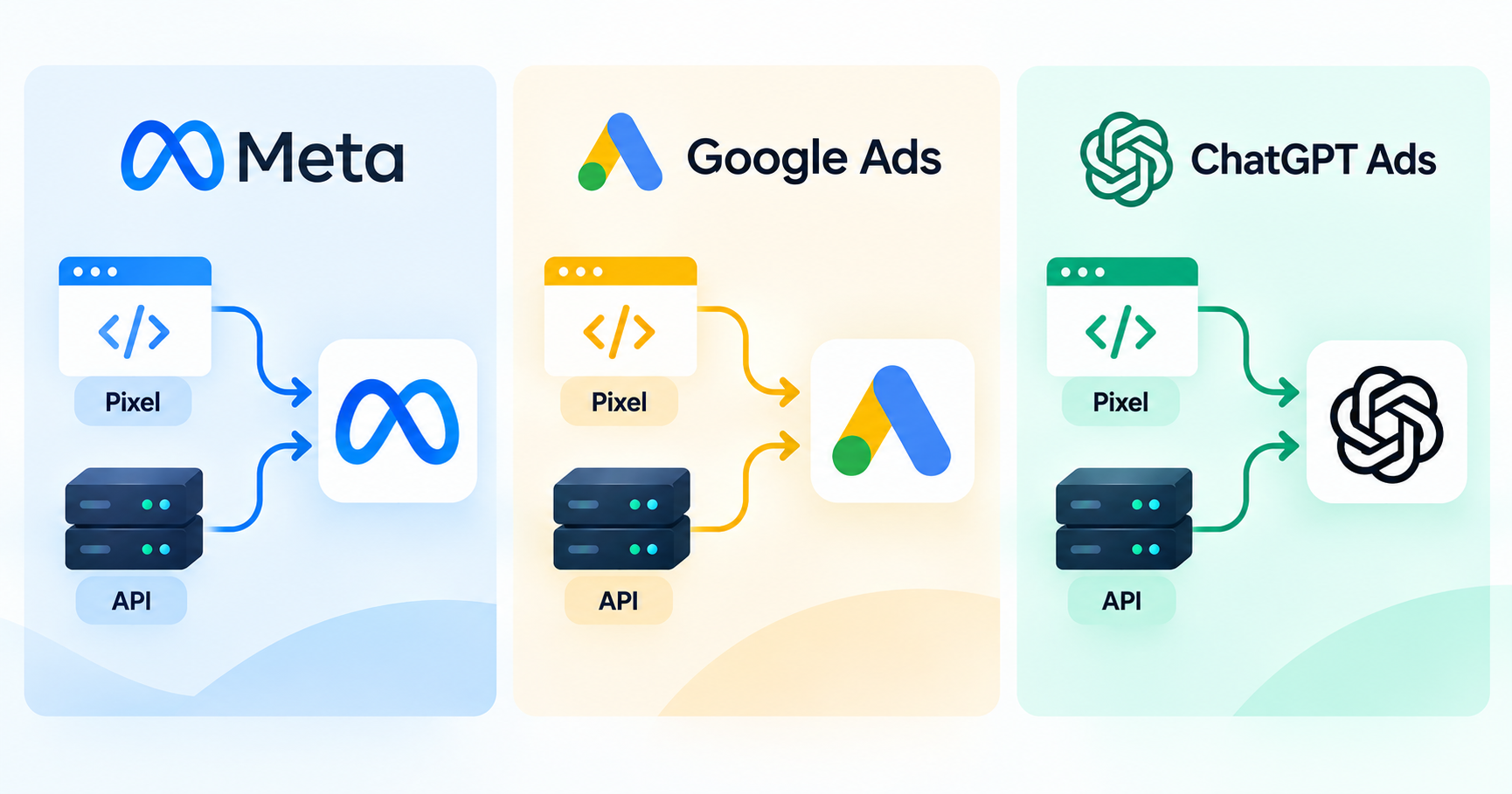
Conversion apis and web pixels are the two halves of how every major ad platform, Google, Meta, and now ChatGPT Ads, actually knows what happened after someone clicked an ad. A web pixel runs in the visitor's browser and reports events like a page view or a purchase in real time. A Conversions API sends the same kind of events from your server, bypassing the browser entirely. Neither one alone gives a full picture anymore, which is why every platform covered in this guide now recommends running both together.
This guide walks through what each piece does, how Google, Meta, and ChatGPT Ads implement conversion apis and web pixels differently, and what an implementation checklist looks like when you are setting either of them up for the first time or auditing one that already exists.
Web Pixels vs Conversion APIs: The Core Difference
A web pixel is a small piece of JavaScript that loads in a visitor's browser and fires an event back to the ad platform when something happens, a page loads, a product gets added to a cart, a purchase completes. It works entirely client-side, which makes it fast to deploy but also fragile: it depends on the browser executing the script, cookies persisting, and no privacy tool or ad blocker interfering along the way.
A Conversions API (CAPI) does the same reporting job from the opposite direction. Instead of the browser telling the ad platform what happened, your own server does, over a direct HTTPS connection that has nothing to do with the visitor's browser, cookies, or extensions. The event data looks similar to what the pixel would send, but the path it travels is completely different, and that path is what makes it resistant to the privacy and browser changes that have degraded pixel-only tracking.
Every platform in this guide recommends running the pixel and the API together, not one instead of the other. The pixel captures fast, real-time browser signals. The API supplies a durable, server-side backup of the same events so nothing gets lost when the browser side fails. When both fire for the same conversion, a shared identifier lets the platform deduplicate rather than count it twice.
Why Pixel-Only Tracking Stopped Being Enough
Browser-based tracking has degraded steadily since Apple's App Tracking Transparency (ATT) framework and Intelligent Tracking Prevention (ITP) changes reshaped how much a website can see about a visitor. By 2026, roughly 25 to 40% of desktop users run an ad blocker, Safari blocks third-party cookies by default, Firefox blocks trackers out of the box, and Apple strips click identifiers such as fbclid from links shared through Mail, Messages, and Private Browsing.
None of that stops a purchase from happening. It stops the pixel from seeing it. The result is a widening gap between what actually happens on a website and what a browser-based pixel reports back to the ad platform, and that gap directly damages campaign performance: an algorithm can only optimize bidding and targeting against the conversion data it actually receives.. A pixel that misses half of real purchases teaches the platform to chase the wrong signal, which shows up as unstable ROAS. It also inflates cost per acquisition even when the underlying business is doing fine.
Meta: The Meta Pixel and Meta Conversions API
Meta runs the most mature and widely documented pixel-plus-API pairing of the three platforms, and publishes full developer documentation for the Conversions API.
The Meta Pixel
The Meta Pixel is a JavaScript snippet placed on a website that fires standard events (PageView, AddToCart, Purchase) or custom events back to Meta as a visitor interacts with the site. It is the original tracking method for Facebook and Instagram ads and remains the fastest way to get basic event tracking live.
Meta Conversions API
Meta's Conversions API is a server-side endpoint that takes the same categories of events from your infrastructure and posts them directly to Meta using first-party data such as hashed email addresses, phone numbers, IP addresses, and user agents. Because it runs server-to-server, it bypasses ad blockers, Safari's ITP, and iOS privacy restrictions that interfere with browser scripts. Most advertisers implement it through a native platform integration (Shopify and WooCommerce both have built-in support), a server-side Google Tag Manager container, or Meta's own Conversions API Gateway.
Every event needs a shared event_id sent from both the Pixel and the CAPI call so Meta recognizes them as one conversion rather than two; Meta's deduplication documentation covers the exact matching rules. Meta also scores the setup with an Event Match Quality (EMQ) rating based on how much verified first-party data accompanies each event; a higher EMQ generally improves matching and predictive bidding performance over time. Meta recommends every advertiser running Facebook or Instagram ads implement CAPI alongside the Pixel in 2026, with reported recovery in the range of 20 to 30% of previously lost conversion data.
Google: The Google Tag, Enhanced Conversions and Consent Mode
Google's naming is less unified than Meta's, but the same pixel-plus-server-side pattern applies across three connected pieces: the Google tag, enhanced conversions, and Consent Mode.
The Google tag (gtag.js)
The Google tag, commonly referred to by its script name gtag.js, is Google's unified browser-side tagging framework. It sends data to Google Analytics 4, Google Ads, and Floodlight from a single tag, and it is the closest equivalent Google has to Meta's Pixel or OpenAI's Measurement Pixel. Most implementations today run the Google tag through Google Tag Manager rather than installing gtag.js by hand, since GTM gives version control, debugging, and consent management in one place.
Enhanced conversions and offline conversion import
Enhanced conversions supplement standard Google tag data by sending hashed first-party identifiers, email, phone, name, address, alongside each conversion event, so Google can match it to a signed-in user even when cookies or device-level targeting signals are limited. As of April 2026, Google combined enhanced conversions for web and enhanced conversions for leads into a single on/off setting, accepting user-provided data from website tags, Data Manager, and API connections without forcing a single implementation path. Offline conversion import (OCI) covers the CRM-driven side: events like a lead becoming a sales-qualified opportunity, uploaded back into Google Ads using the Google Click ID (GCLID) captured at the original click.
One deadline matters for any team running this through code: starting June 15, 2026, offline conversion imports and enhanced conversions for leads uploads move to the Data Manager API and are blocked in the legacy Google Ads API upload path. A custom integration built before that date needs to be repointed at Data Manager to keep working.
Consent Mode v2
Consent Mode is Google's framework for adjusting how the Google tag and Google Analytics behave based on a visitor's consent choice, and it is required for EEA traffic to be processed at all. It works off four signals: ad_storage, ad_user_data, ad_personalization, and analytics_storage. The consent default must be set before the Google tag loads on the page; setting it afterward, or failing to push an explicit update when a visitor rejects tracking, silently degrades measurement without throwing an obvious error.
In Basic Consent Mode, tags simply do not fire without consent. In Advanced Consent Mode, cookieless pings still go to Google, which can support statistical modeling of conversions that would otherwise be invisible.
ChatGPT Ads: Measurement Pixel and Conversions API
OpenAI's measurement stack for ChatGPT Ads follows the same pixel-plus-server-side pattern as Meta and Google, built from three pieces: a JavaScript Measurement Pixel, a server-side Conversions API, and an Advertiser API for programmatic campaign access.
The ChatGPT Ads Measurement Pixel
The Measurement Pixel is a browser SDK initialized with a Pixel ID from Ads Manager. A site calls a JavaScript function, oaiq("measure", ...), to report standard or custom events, and the same events support both click-through attribution and, where available, view-through attribution on a fixed one-day window after an eligible ad impression.
ChatGPT Ads Conversions API and the oppref identifier
The Conversions API sends the same categories of events, page views, leads, purchases, subscriptions, from a server using a Pixel ID and a Conversions API key issued in the Conversions section of Ads Manager. OpenAI's own guidance recommends running the pixel and CAPI together, given how early and fragmented browser-side measurement still is for a newly launched ad surface.Attribution runs through a click identifier called oppref, captured from the landing page URL and stored in a first-party cookie so later conversions can be tied back to the original ChatGPT ad click.
As with Meta, deduplication between the browser pixel and the server-side call uses a shared event_id. OpenAI also supports mobile measurement partner integrations, currently AppsFlyer and Adjust, for advertisers who would rather forward events through an existing MMP than build a direct server integration.
Pixels and Conversion APIs Side by Side
Factor | Meta | ChatGPT Ads | |
|---|---|---|---|
Browser pixel | Meta Pixel | Google tag (gtag.js) | Measurement Pixel |
Server-side API | Conversions API (CAPI) | Enhanced conversions / offline conversion import | Conversions API |
Dedup mechanism | Shared event_id | GCLID plus hashed user data | Shared event_id plus oppref |
Consent framework | Limited Data Use / regional controls | Consent Mode v2 (four signals) | Not yet a named consent framework |
Primary upload path | Direct API, GTM server container, or gateway | Google Ads API moving to Data Manager API (June 15, 2026) | Direct API or GTM server-side template |
Data quality score | Event Match Quality (EMQ) | Match rate in diagnostics report | Not yet publicly scored |
How to Implement Conversion APIs and Web Pixels Together
The sequence below applies across all three platforms; only the field names change.
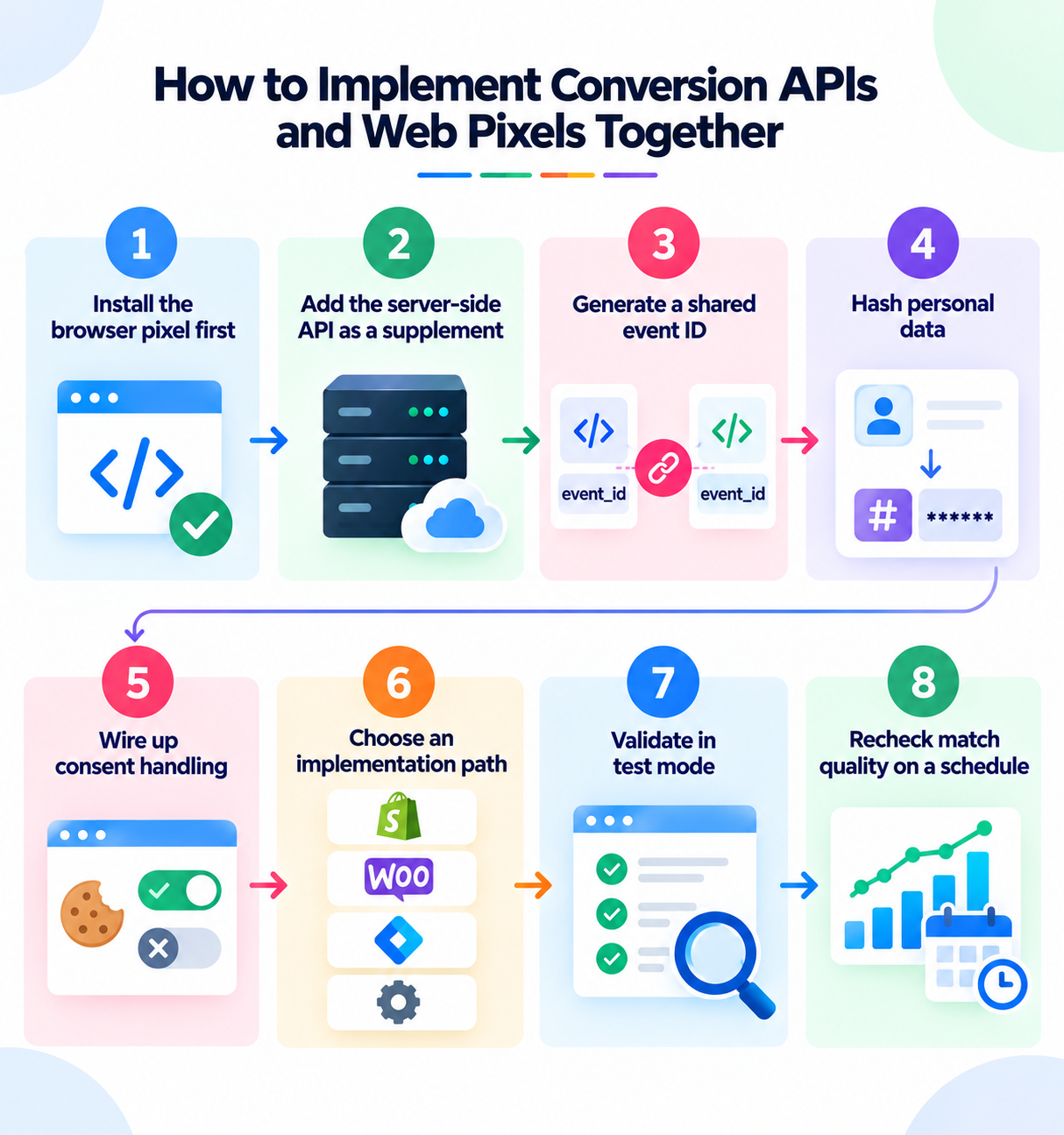
Install the browser pixel first. It is the fastest path to basic tracking and gives you a baseline to compare the server-side setup against.
Add the server-side API as a supplement, not a replacement. Removing the pixel loses real-time browser context that server-side events alone cannot fully reconstruct.
Generate a shared event ID for every conversion. Pass the same event_id (or GCLID, for Google) to both the browser-side call and the server-side call so the platform deduplicates instead of double-counting.
Hash personal data before it leaves your server. Email addresses, phone numbers, and other identifiers should be hashed, commonly with SHA-256, on every platform covered here.
Wire up consent handling before launch. Where Consent Mode v2 or an equivalent applies, the default should be denied until a visitor consents, with the consent default set before the tag loads and an explicit update pushed on every choice, including a rejection.
Choose an implementation path that matches your stack. A native platform integration is fastest for standard ecommerce events and pairs well with dynamic catalog and Shopping ads tracking. A server-side Google Tag Manager container gives more control across multiple ad platforms from a single place.
Validate in test mode before going live. Meta's Test Events tool, Google's diagnostics report and Tag Assistant, and OpenAI's Validate Only mode all confirm events are structured correctly before they affect live reporting or bidding.
Recheck match quality on a schedule. EMQ scores, Google's match rate, and equivalent diagnostics drift as identifiers age out or a checkout flow changes. Treat it as ongoing performance monitoring: a working setup in January is not a guarantee it still works in June.
Mistakes That Quietly Break Pixel and API Tracking
Only implementing one side. A pixel with no server-side API, or a CAPI with no pixel, misses the signal the paired setup would catch.
Mismatched event IDs between pixel and server calls. If the identifier does not match exactly, the platform reports two conversions instead of one, inflating numbers that look good until someone reconciles against actual revenue.
Loading the Google tag before the consent default is set. The first hit goes out with no consent policy applied at all, and it cannot be corrected retroactively for that visitor.
Forgetting to push a consent update on rejection, not just acceptance. Many implementations only wire the accept path, leaving the reject path silently non-compliant.
Treating the setup as done after launch. Checkout redesigns, CRM migrations, and new consent banners can silently break server-side event mapping, which is why it belongs in a regular campaign optimization cycle. Recheck diagnostics quarterly.
Missing the Google Ads API deprecation deadline. Any custom offline conversion or enhanced conversions for leads integration on the legacy Google Ads API path needs to move to the Data Manager API before June 15, 2026.
Bottom Line
Conversion apis and web pixels are not competing options, they are two halves of the same measurement system, and every platform in this guide, Meta, Google, and ChatGPT Ads, now expects advertisers to run both. The pixel gives you speed and real-time browser context. The API gives you durability against ad blockers, ITP, and iOS privacy restrictions that a browser-only setup cannot survive on its own. Get the pixel live first, add the server-side API as a supplement, deduplicate with a shared identifier, hash personal data, respect consent, and validate before anything goes live.
That sequence is the same whether you are setting up Meta, Google, or ChatGPT Ads, and it is what keeps each platform's algorithm optimizing against what actually happened rather than what a degraded browser signal managed to report.